Product
See Your Whole Compliance Posture at a Glance

The last post in this series was about configuration. Your AI assistant can stand up a destination, map fields, write consent rules, and publish a versioned change, all from one conversation. We closed it with a promise: asking where an identifier is going is the first question, and continuous inspection is the rest of the story.
This is the rest of the story.
Configuration tells you what you set up. Observability tells you what is actually happening right now: which fields are leaving the platform, which destinations can really be stopped when a visitor says no, and which scripts are running on your site that your consent banner never actually covered. We pulled all of that into one place in the app, gave each surface a single pane of glass, and exposed every bit of it to your AI assistant so it can monitor, triage, and react on your behalf.
Here's what's new.
One Compliance Center, Not Five Tabs
The answer to "are we compliant right now" used to live scattered across your organization. Part of it was in a spreadsheet someone updated last quarter, part of it was in a privacy person's head, part of it was a script a marketer added through a tag last week that nobody told the compliance team about. The picture was never in one place and never current, so it drifted, and you usually found out it had drifted during an audit. We put it all in a single Compliance section in the sidebar instead. The data sharing report, the web scanner, and consent analytics now live together, because they answer one question from different angles: where is patient data going, and is it governed the whole way.
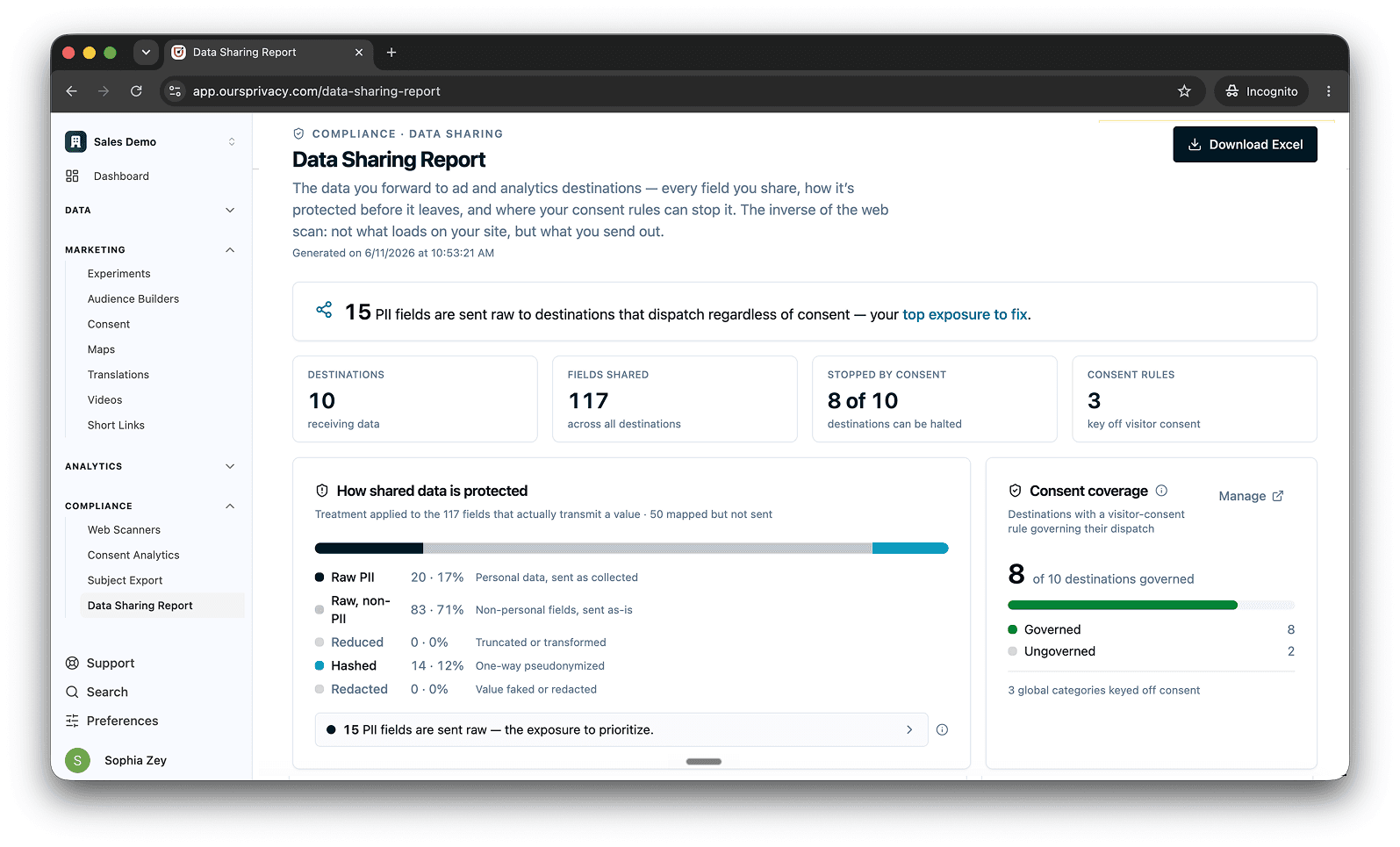
We also renamed the old "compliance report" to the data sharing report, because that is what it actually is. It shows you every field flowing out of Ours Privacy to every destination, and exactly what protects it on the way.
Demo environment. All figures and identifiers are fictitious sample data.
See Exactly How You're Sharing Data
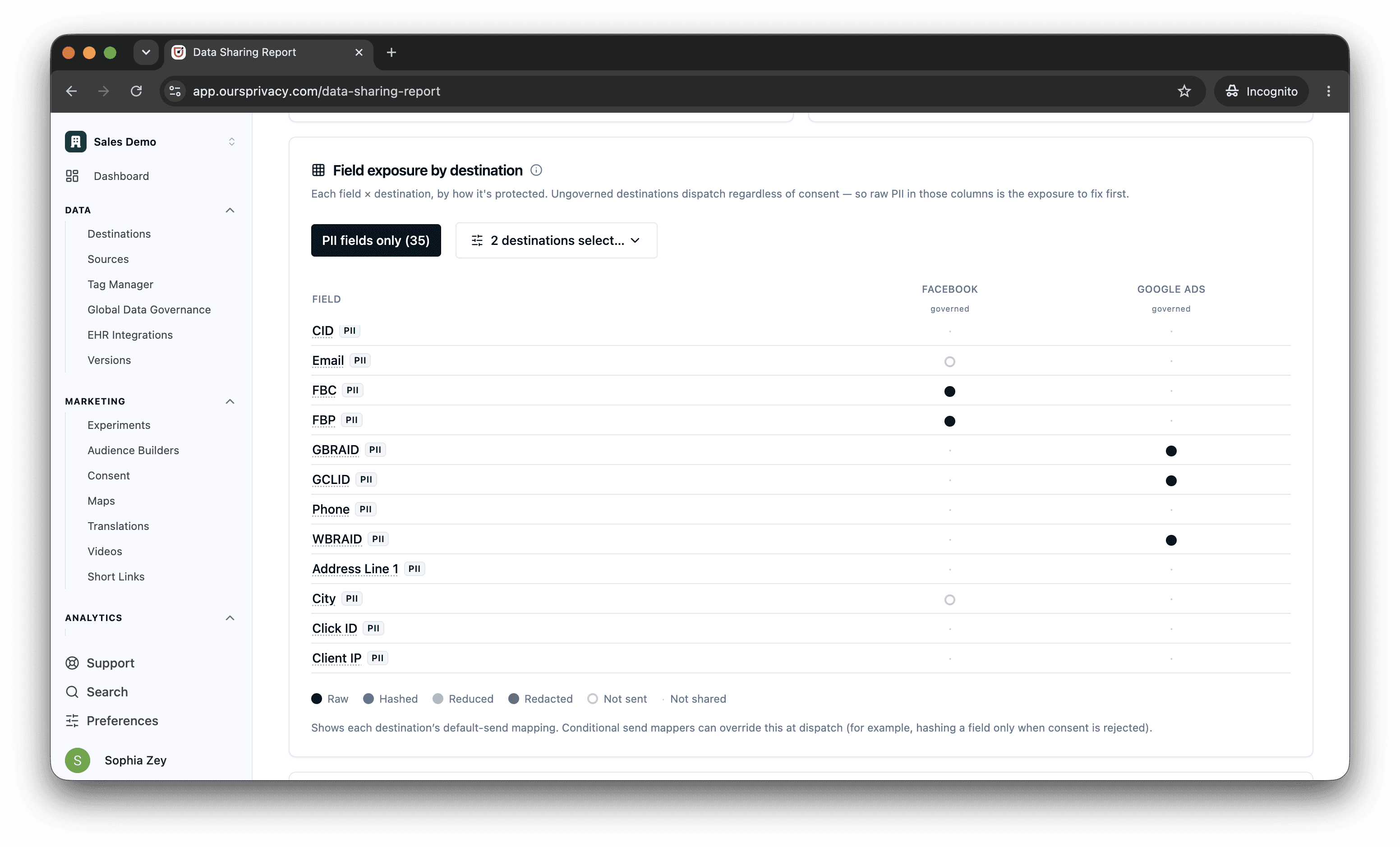
Open the data sharing report and you see how your whole organization shares data, at a glance: every field leaving Ours Privacy, which destination it goes to, and what protects it on the way. No spreadsheet, no reconstructing the pipeline by hand, and the riskiest exposure is surfaced first.
In one view you can see whether each destination is covered by consent, and spot the fields that might be sharing raw, sensitive data. Expand any row for the full detail, or export the whole thing to Excel for an auditor.
Demo environment. All figures and identifiers are fictitious sample data.
Know What's on Your Site, and What Consent Covers
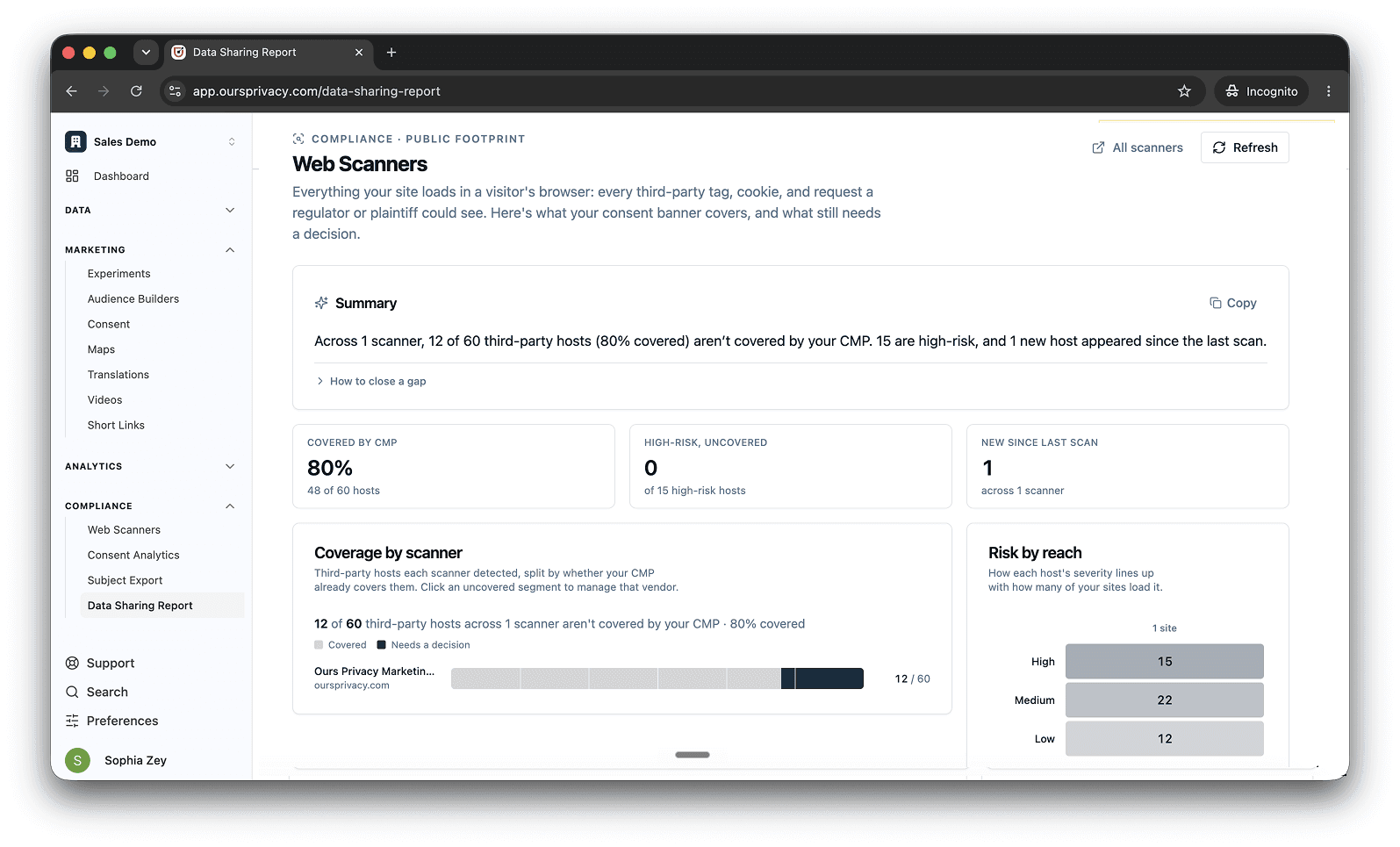
The web scanner crawls your site every week and finds every third-party tracker, pixel, and script running on it. Then it answers the question that actually matters: how much of that is covered by your consent banner, and how much is running uncovered. A banner does nothing if a tracker fires before a visitor answers, or fires no matter what they choose, and that gap is the part most teams can't see.
You get one coverage number at the top, the list of scripts still running without a decision, and what changed since the last scan, so a tag someone added on Monday doesn't go unnoticed until an audit. When a script is fine to leave alone, you clear it with a reason: it's first-party, it's covered by a BAA, it's already approved.
Right next to it, consent analytics shows the other half of the picture: what your visitors actually chose, by date and by page. One view shows what's running on your site, the other shows what people agreed to.
Demo environment. All figures and identifiers are fictitious sample data.
All Of It, Readable by Your AI Assistant
All of this is exposed through the MCP, the same connection your AI assistant already uses to configure your pipeline. Now it can read your posture too, so questions that used to mean clicking through five pages become one sentence:
"Which trackers on our site aren't covered by our consent banner right now?"
"What new scripts showed up in this week's scan, and what are they?"
"What PII are we sending to Facebook, and can a consent opt-out actually stop it?"
"Mark the LiveChat host as covered under our BAA, and tell me what's still uncovered."
Read access is separate from write access, so you can let an assistant audit your setup without letting it change anything. And like everything on the MCP, it's off until you turn it on.
Why This Matters
A compliance posture you can't see is one you find out about during an audit. Now it lives in one place, stays current, and is readable by both your team and the AI working alongside them. You build the pipeline. Now you can watch it too.
If you'd like a walkthrough of the compliance center, book a demo. The full reference lives in the Platform MCP documentation.
Related Articles
Newsletter
Stay up to date
Subscribe for privacy news, feature updates, events, etc.
