Product
Sandbox Accounts: Get It Wrong Somewhere That Isn't Production

The same conversation happens a week before every go-live. Somebody has a tag manager container ready to publish, somebody else has a destination mapping they need to see working, and one question sits in front of both of them: where do I try this?
Sandbox Accounts are the answer. An account administrator creates one sandbox per production organization from the dashboard. It has the same products and the same limits as production, and it shares none of the data.
Three things follow from that. Your production data stays clean, because test events never enter it. Your environments are genuinely separate, down to the write tokens and the destination credentials. And configuration you are unsure about gets validated somewhere real before it goes live. Here's what's new:
A Second Workspace, From the Dashboard
Open Administration > Sandbox Environments in your production organization and select Create sandbox. There is no name to invent and no one to email. The dialog has one checkbox with no fields, and the sandbox takes its name from your production organization.

What you can do with it:
Point your staging app at it. Events from a test environment or a QA run land in the sandbox and go nowhere near your production reports.
Try a destination before you configure it live. Wire up the credentials, map the fields, watch a real event dispatch, then build it in production knowing the mapping works.
Publish a container without publishing it on production. Build the tag, set the trigger, confirm what fires, and leave your live container alone until you are ready.
Rehearse an implementation. An agency onboarding a new clinic builds the whole setup and shows the client a dashboard with events in it before anything touches the clinic's production organization.
Onboard a new engineer. Somebody learning your event schema can break things for a week without a single consequence.
Whatever your production organization can do, the sandbox can do: the same products, the same feature entitlements, the same ceilings on sources, containers, and replays. Session Replay works, the tag manager works, warehouse sync works. When a limit changes or a product turns on for production, the sandbox picks up the change on its own, so you are not maintaining two entitlement sets.
The sandbox starts empty. Sources, destinations, mappings, containers, and consent settings begin from nothing, and you build the piece under test plus whatever it depends on. Testing one tag means building one tag, not the thirty-nine you are not testing.
Creating the sandbox takes an account administrator, and your organization can deny that permission by policy if you want provisioning to run through one person. Everybody you copy in works in the sandbox without being an administrator.
Separate Means Separate
The sandbox is a real organization, not a flag on your events. It has its own account, and every piece of separation follows from that.
Nobody has to remember to filter test traffic out of a report, because the report was never able to include it. Events collected in the sandbox live under the sandbox account, so your production analytics, attribution, and funnels never see them, and neither does the warehouse sync running out of your production organization. Sandbox sources issue their own write tokens and sandbox destinations hold their own credentials, so the two workspaces never share a credential in either direction.
Because the sandbox is a full organization, every surface behaves the way it does in production. The same ingest and Batch API, the same server SDKs, the same identity stitching between a server event and a browser visitor ID, the same EHR webhook handling. There is no sandbox mode in the pipeline to account for, which is what makes the test worth running.
One thing to be aware of: the sandbox starts with its consent configuration, event allowlist, and governance rules unset, so configure those before you point anything real at it. A test form on a real staging site collects real information.
Bring the Team and Always Know Where You Are
A test environment nobody can log into is a test environment nobody uses. When you create the sandbox, Copy current members is selected, and your production members arrive with the roles they already have. No new accounts get created and no invitation emails go out, because these are the same people with the same identities, mirrored by an administrator into a second workspace. Clear the checkbox, and you are the only person in there. After a new hire joins production, select Synchronize members, and they get added with their production role.
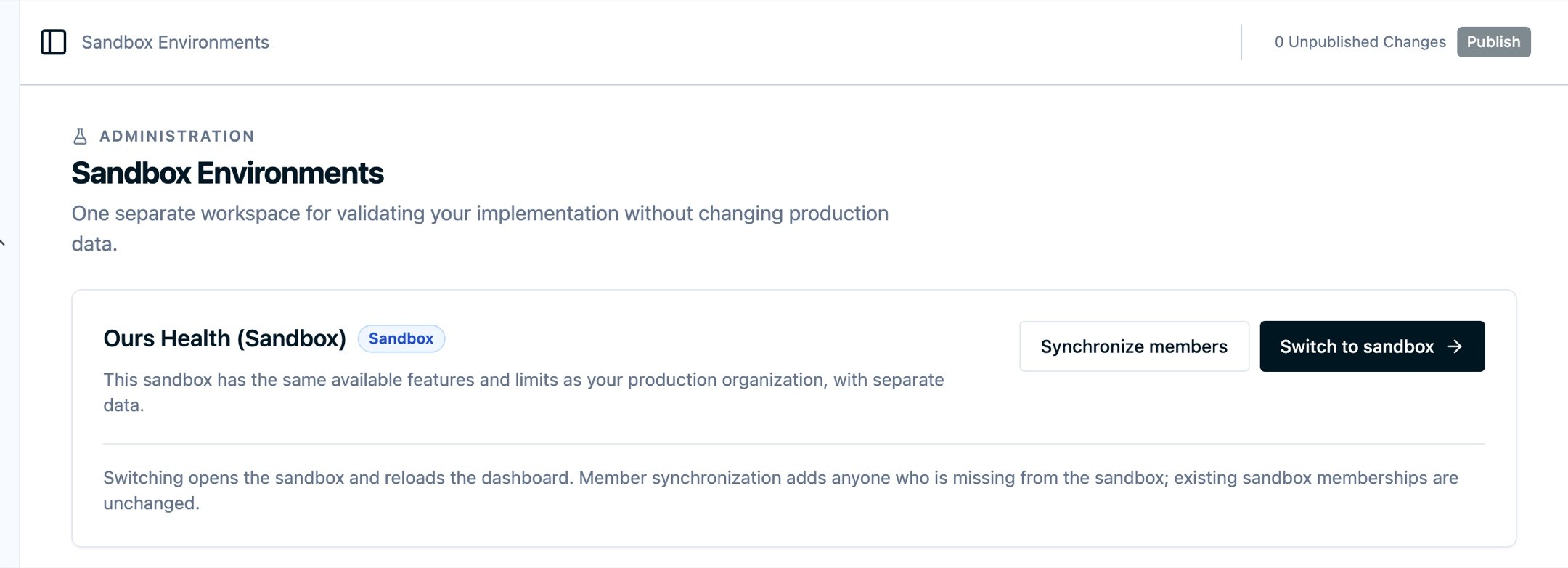
The failure mode of any test environment is somebody making a production change while they believe they are somewhere safe. So the sandbox announces itself. A banner sits above every screen and says that changes and data stay separate from your production organization, and a Sandbox badge appears on the organization switcher, both on the workspace you are in and on the sandbox in the list. If you manage several organizations, each one gets its own sandbox, named after it and badged, so search the switcher rather than scrolling it.
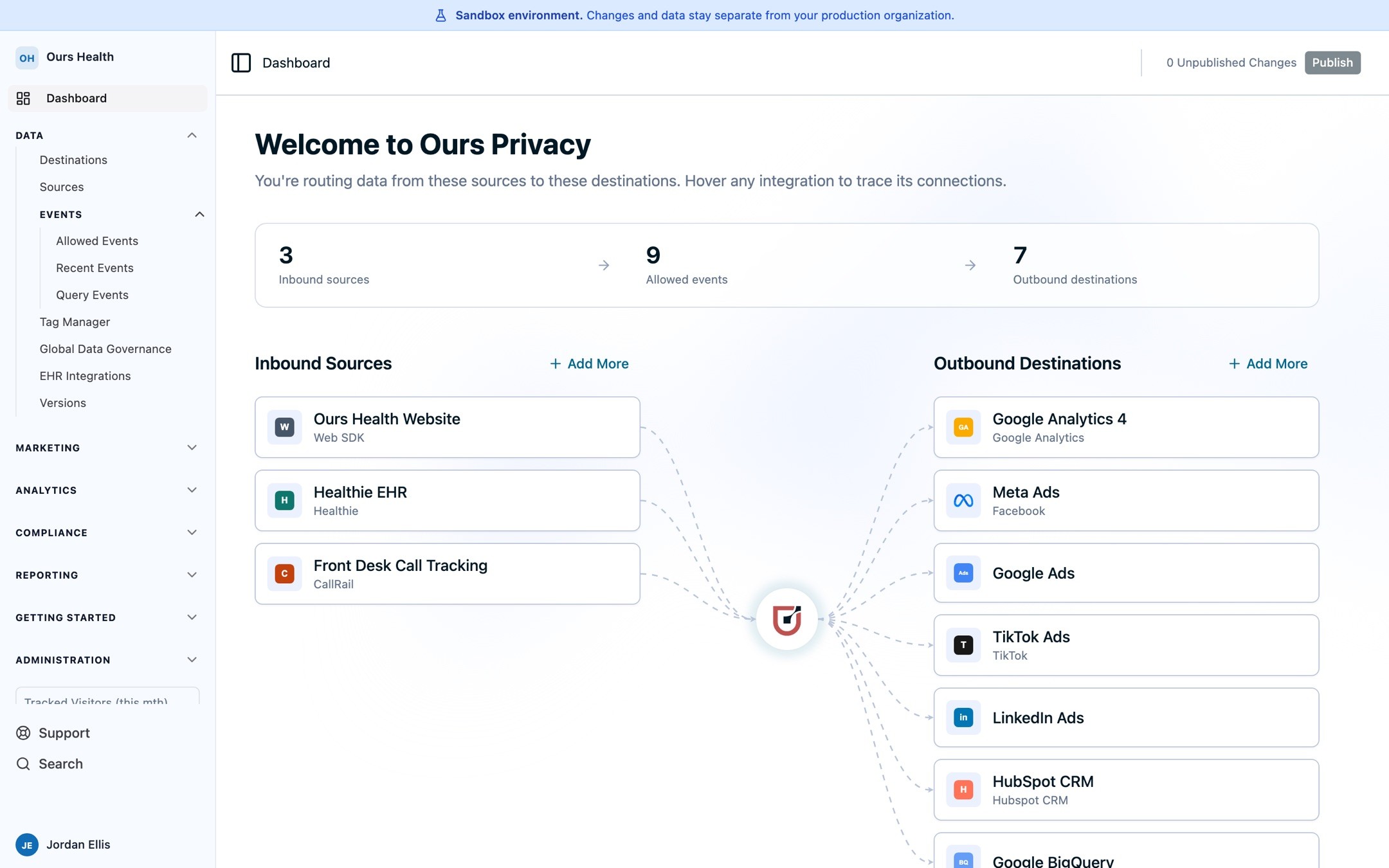
Moving between workspaces takes one click from the switcher or from Switch to sandbox. The dashboard reloads into the workspace you picked, so nothing carries over from the one you left.
Read the setup steps in Sandbox Environments, and the access details in Managing Sandbox Organizations.
What's Next
Getting validated work into production is the part to plan for today. You either rebuild the piece in production, which is the afternoon you would have spent building it there anyway, or you read it back through the Platform API and apply it from your own repository.
That gap is the next piece of work, because sandboxes and the Platform API point at the same idea: your configuration should be something you approve and move, not something you edit live and hope holds together. Carrying a validated configuration from one workspace to the other, in the dashboard and without an engineer, is what comes after this.
If your team has been putting off an implementation change because production is the only place to try it, book a demo and we will set up the sandbox on the call.
Related Articles
Newsletter
Stay up to date
Subscribe for privacy news, feature updates, events, etc.
