Product
Platform Updates: Enhanced Session Replay, Location APIs, DMA Geolocation, and New Integrations

Marketing made us hold back all these updates when they launched their big announcement last week, but the wait is over. Here's our recent product update and improvements. If you don't have Session Replay enabled, you really should consider it because it's going to get a lot more powerful.
Here's what's new:
Enhanced Session Replay: Find What Matters Faster
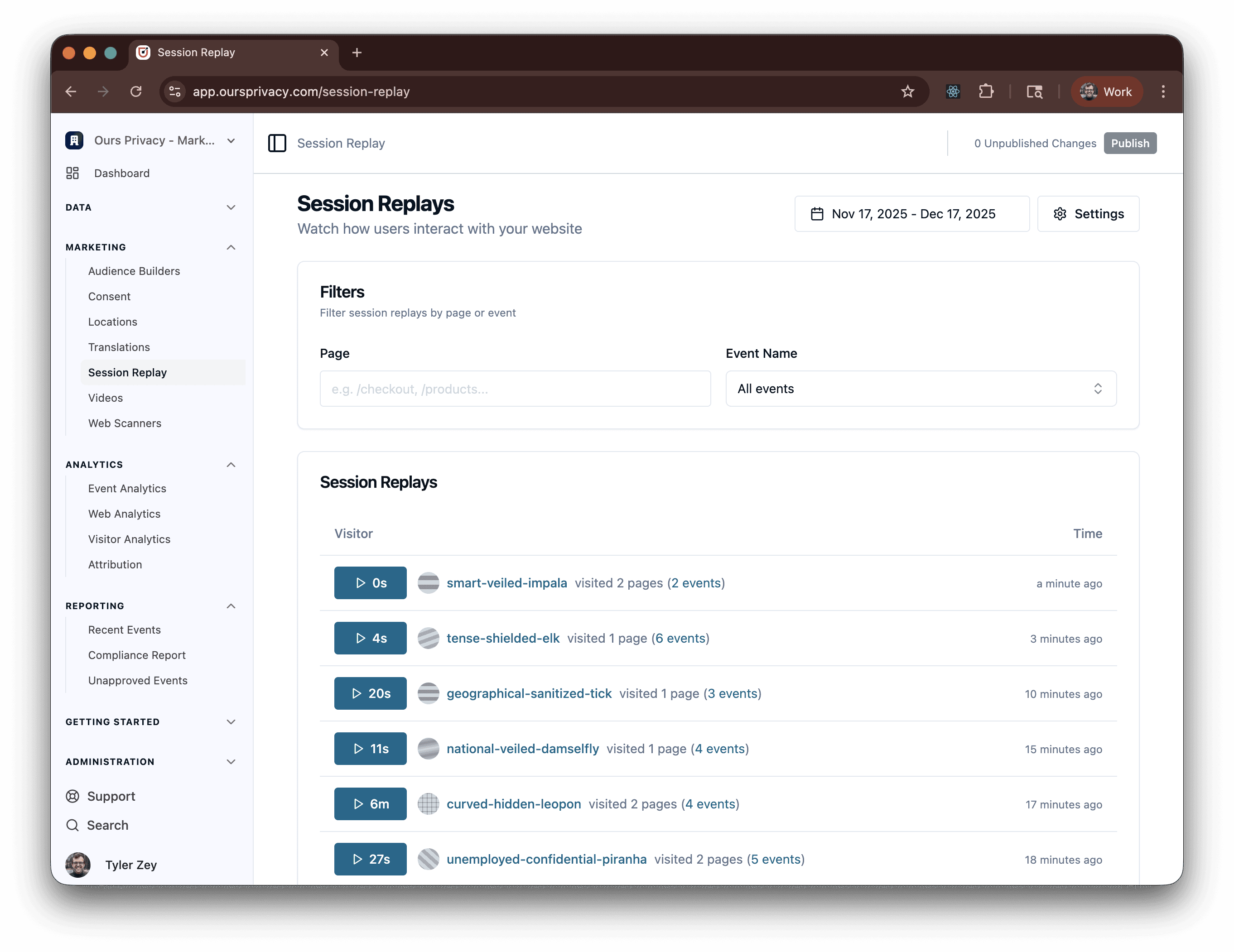
Session Replay has always been powerful for understanding visitor behavior, but finding the most relevant sessions was a challenge. We've dramatically improved the Session Replay UI to make it easier to discover the sessions that matter most.
What's improved:
Better UI for discovering relevant sessions - improved visual indicators help you quickly identify interesting replays
Filter by specific pages - see session replays only for pages you care about, like your conversion pages or high-traffic landing pages
Filter by specific events - find replays where particular events occurred, like form submissions, button clicks, or custom conversion events
Better visual indicators - quickly spot sessions with frustration signals, conversion events, or other important moments
Why this matters:
Healthcare marketers can quickly identify friction points and conversion blockers. Instead of scrolling through hundreds of sessions hoping to find something relevant, you can filter to exactly the sessions that matter—whether that's all sessions on your appointment booking page or all sessions where a specific conversion event fired.
If you don't have Session Replay enabled yet, you should consider enabling it—it's getting a lot more powerful, and these improvements make it even more valuable for understanding visitor behavior.
Location API: Build Your Own Maps Products
Healthcare organizations often need location-aware features—finding nearby clinics, showing service areas, or building custom location-based experiences. But integrating third-party mapping services can create compliance concerns and limit your ability to customize the experience.
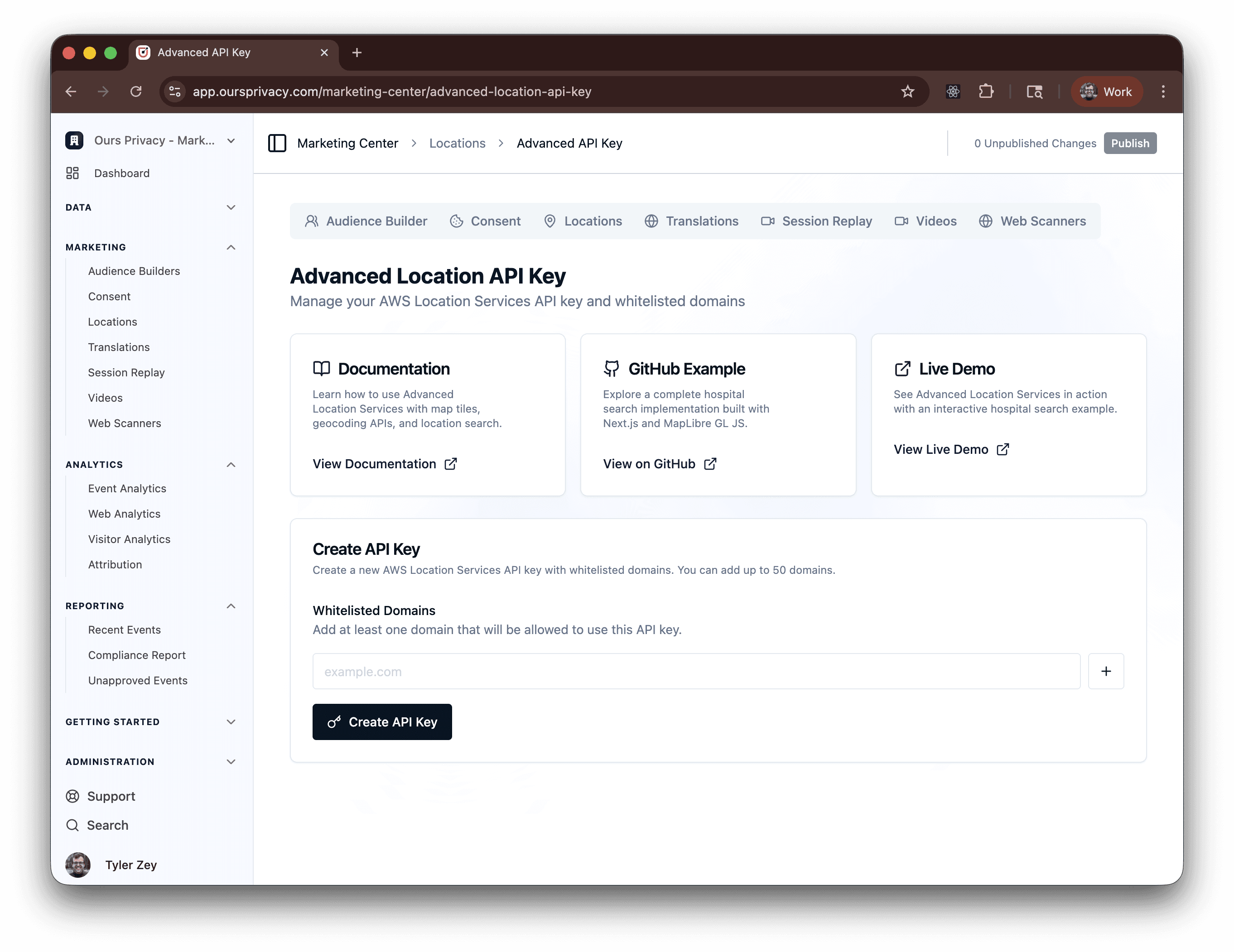
We're launching a Location API product that lets you build your own location and maps products using our API-based location services.
What it enables:
API access to location services - programmatic access to location data and mapping capabilities
Custom map integrations - build location features that match your brand and user experience
Build location-based features without third-party dependencies - no need to load third-party mapping scripts that could create compliance risks
Why this matters:
Healthcare organizations can create location-aware experiences while maintaining privacy compliance. Instead of embedding third-party mapping services that load external scripts and cookies, you can build custom location features using our API—giving you full control over the user experience and data privacy.
Full Location API documentation is available here.
Note: Our maps embed with no-code, copy-paste functionality is still available and more information can be found here.
Designated Market Area (DMA) Geolocation Capability
Healthcare marketers often create campaigns for different metropolitan areas. However, sending IP address to analytics destinations like GA4 can introduce compliance issues due to IP addresses being personal data. Our platform has always supported anonymizing IP address to GA4 by geolocating to the nearest state. However, by popular demand, we now support geolocating to the nearest Designated Market Area (DMA), which enables more relevant reporting for marketers that market by different metropolitan regions.
What’s new:
DMA-level geolocation derived from IP addresses without passing raw IP data
Privacy-first by design to support safer analytics workflows
Currently available for GA4 destinations
Why this matters: DMA-level reporting helps healthcare marketers understand campaign performance across specific markets while keeping location data appropriately anonymized.
Note: All Ours Privacy clients have access to HIPAA-safe native analytics directly within the Ours Privacy platform.
Mapper Preview: See Your Payloads Before They Ship
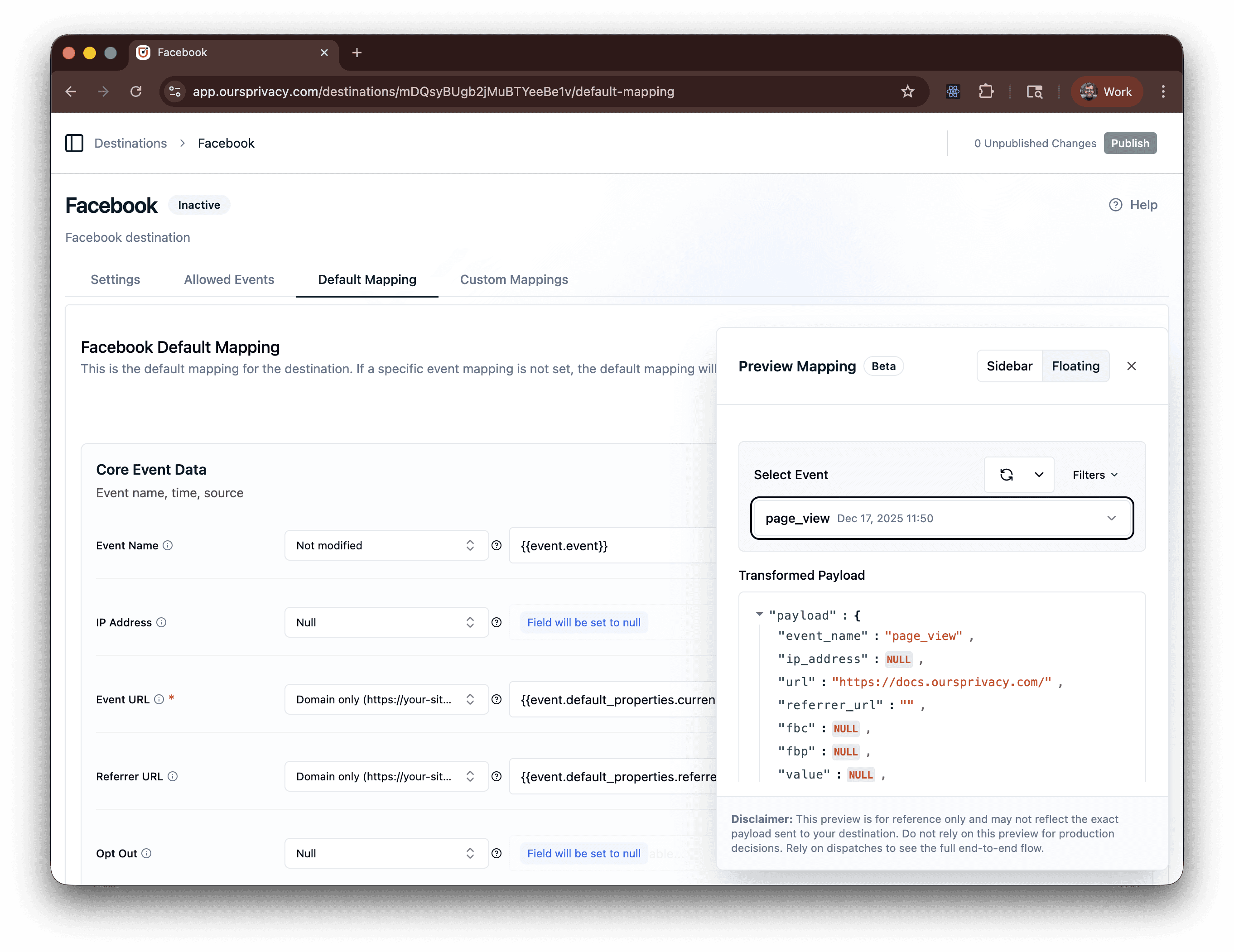
Setting up event mappings is one thing. Knowing exactly what data will be sent to your destinations is another. We've added payload preview functionality in the mapper layer, so you can see exactly what will be sent before it goes live.
What it does:
Preview exactly what data will be sent - see the complete payload that will be delivered to each destination
Validate mappings before deployment - catch issues before they affect production data flows
Debug mapping issues faster - understand why data looks the way it does and troubleshoot problems quickly
Why this matters:
This eliminates the guesswork from event routing configuration. Instead of deploying mappings and hoping the data looks right, you can preview the exact payload and verify everything is correct before it goes live. This is especially valuable when setting up complex mappings with multiple transformations, hashing, or conditional logic.
New Destinations: Basis
We're adding a new destination integration that healthcare marketers rely on for their advertising campaigns.
Basis - Programmatic advertising platform integration for healthcare campaigns. Route your marketing data to Basis to power programmatic ad campaigns with accurate, privacy-compliant data.
Why this matters:
More options for routing marketing data to advertising platforms means better campaign tracking and optimization across programmatic and mobile channels. These integrations enable healthcare marketers to connect their Ours Privacy data to the advertising platforms they're already using, creating a more complete picture of campaign performance.
CMP Customized Design Per Region
Healthcare organizations operating in multiple states or regions often need different consent management experiences based on local compliance requirements. While we’ve always offered the ability to customize CMP settings per region, we have now enhanced our CMP to support customized designs per region.
What's new:
Regional customization options - configure different CMP designs for different regions
Different designs for different compliance requirements - tailor the consent experience to match local regulations
Flexible styling per jurisdiction - customize colors, messaging, and layout based on regional needs
Why this matters:
Healthcare organizations operating in multiple states or regions can tailor consent experiences to local requirements. You might need a more prominent opt-in banner in California while using a more subtle approach in other states. These regional customization options make it possible to create the right consent experience for each jurisdiction without managing separate CMP instances.
Web SDK Updates: Dynamic Default Properties
We've enhanced the Web SDK to support dynamic default properties that are automatically attached to all events during the SDK lifecycle.
What's new:
Update default properties dynamically - modify default properties during SDK runtime without code changes
Properties automatically attached to all events - any default properties you set are included in every event automatically
Flexible property management - add context to all events without modifying individual event calls
Why this matters:
Developers can adjust event properties on the fly without redeploying code, making it easier to add context to all events. For example, you might want to add a campaign identifier or environment tag to all events during a specific campaign period. Instead of updating every event call in your codebase, you can set it once as a default property and it will be included in all subsequent events.
Attribution Reporting: See Campaign Performance Over Time
Understanding which campaigns drive results is essential for optimizing marketing spend, but attribution data has often been fragmented across different tools. We're launching new attribution reporting capabilities that let you view attribution data by UTMs and see how campaigns are performing over time.
What it provides:
View attribution data by UTMs - see which UTM parameters are driving visitors and conversions
See where and how campaigns are performing over time - track campaign effectiveness across different sources and time periods
Time range capabilities - view performance by day, week, or month to understand trends
Integration with existing visitor reporting - attribution data connects with your existing visitor analytics
Why this matters:
Healthcare marketers can understand which campaigns drive results and optimize marketing spend based on actual performance data. Instead of guessing which campaigns are working, you can see exactly which UTM sources, mediums, and campaigns are driving visitors and conversions—and how that changes over time.
What's Next
These updates are building toward a more powerful, more flexible platform for healthcare marketing. Enhanced Session Replay makes it easier to understand visitor behavior, the Location API enables custom location experiences, and attribution reporting gives you the campaign insights you need to optimize spend.
As always, you can explore our full docs for setup guides and technical details.
Ready to see these updates in action? Book a demo to learn more about how we're making healthcare marketing compliance easier.
Related Articles
Newsletter
Stay up to date
Subscribe for privacy news, feature updates, events, etc.
